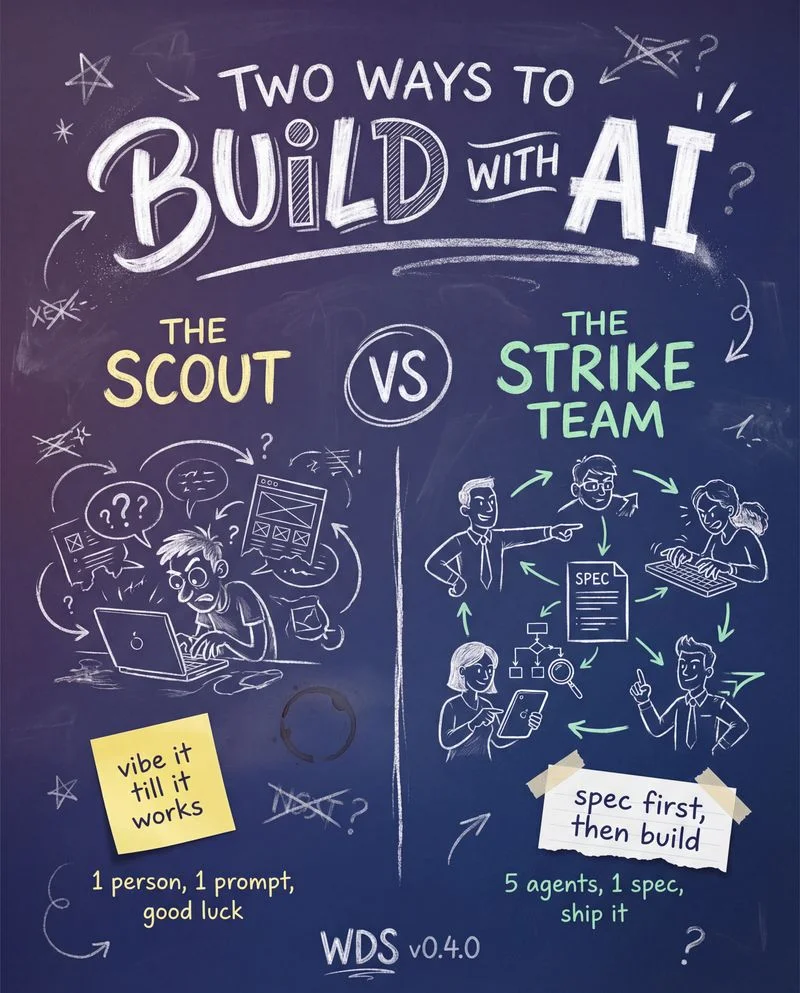
Most AI design tools solve one step. Generate a wireframe. Write some copy. Make an icon.
But nobody connects the steps. You’re still the glue — copying context between tools, re-briefing agents, hoping nothing gets lost along the way.
The AI is fast. But it’s building the wrong thing. Fast.
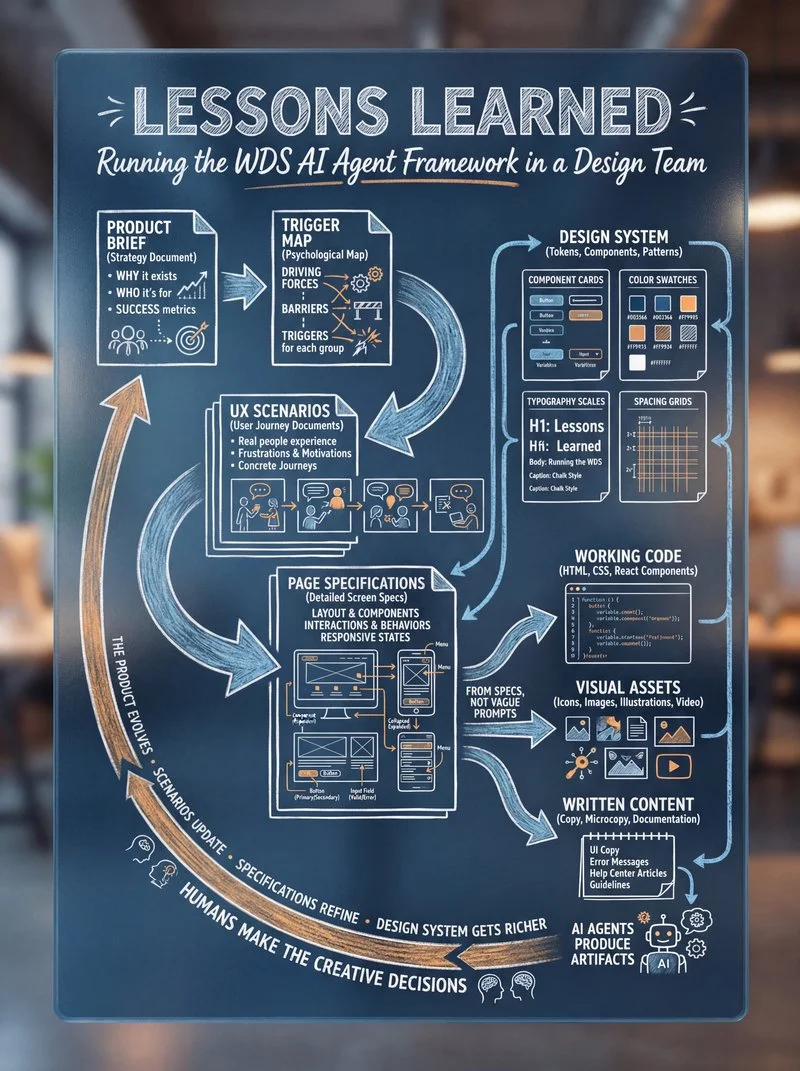
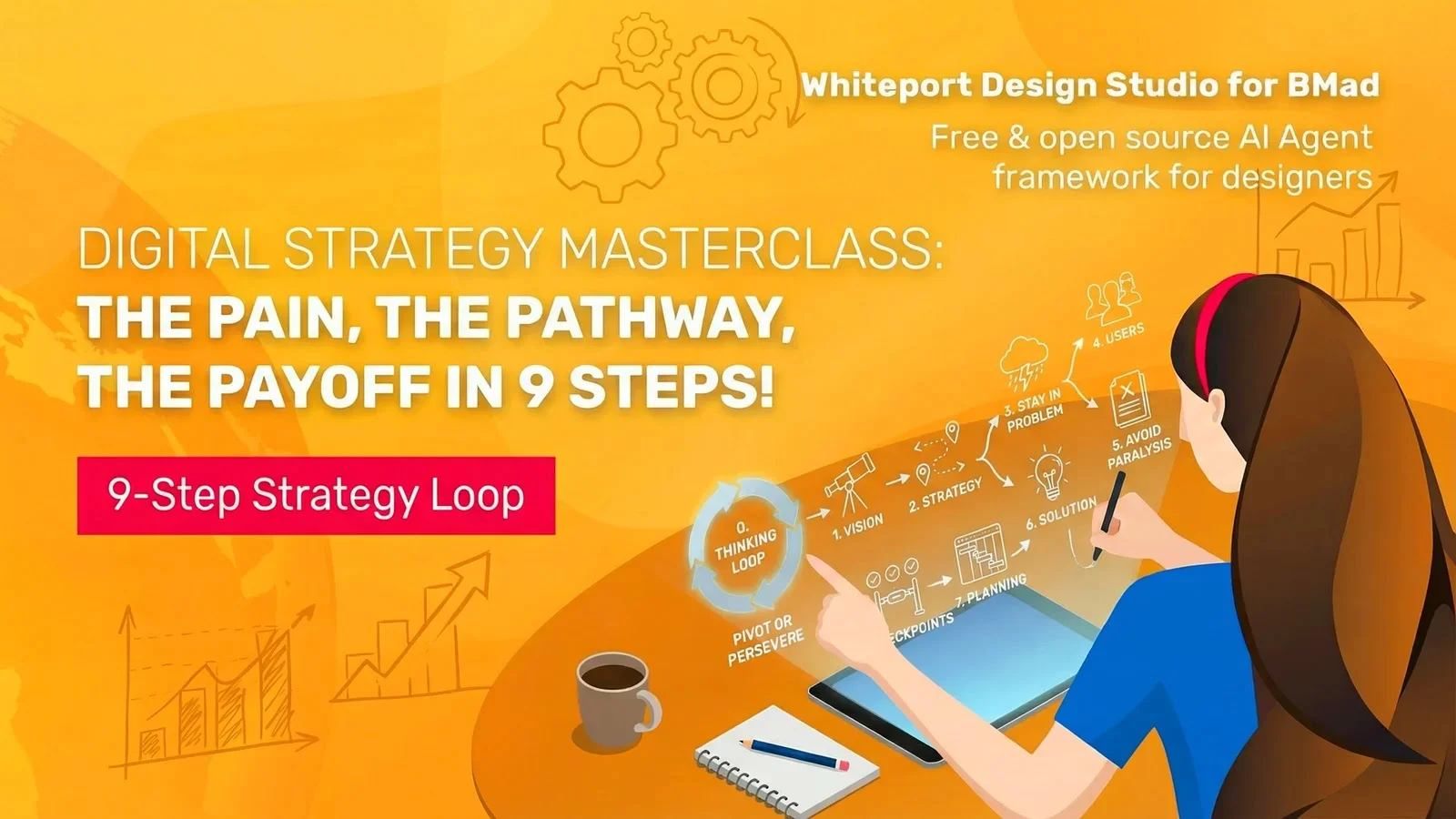
Whiteport Design Studio (WDS) takes a different approach. Instead of one tool, it’s a complete pipeline — 8 phases that take you from business strategy to a living, evolving product. AI agents handle each phase. Humans make the decisions. Everything is connected through a shared brain.
Here’s what the full journey looks like.
Phase 0: Project Setup
Every project starts with a quick onboarding. What type of project is this — greenfield or brownfield? What’s the complexity? What tech stack are we working with?
This takes minutes, not days. The agent determines the right path through the phases based on your answers.
Phase 1: Project Brief
Agent: Saga — Strategic Analyst
Before any design work begins, Saga establishes the project context. Why does this product exist? Who is it for? What does success look like?
This isn’t a 40-page requirements document. It’s a focused brief that becomes the foundation every other phase builds on. If the brief is wrong, everything downstream is wrong — so we get this right first.
Phase 2: Trigger Mapping
Agent: Saga — Strategic Analyst
This is the phase no other AI framework has.
Before a single pixel is drawn, Saga maps user psychology — driving forces, barriers, and triggers for each target group. What makes them act? What stops them? What pushes them over the edge?
The Trigger Map becomes the golden thread through the entire project. Every design decision, every feature, every piece of copy traces back to a real user need — not assumptions, not best practices, not “the competitor does it this way.”
Phase 3: UX Scenarios
Agent: Freya — UX Designer
Now Freya takes the Trigger Map and creates scenario outlines — concrete user journeys that show how people will actually use the product.
Each scenario is grounded in the triggers Saga identified. This isn’t “user opens app, user clicks button.” It’s “Maria is frustrated because she can’t find the right tire size for her car — the search needs to solve that in under 10 seconds.”
The scenarios expose every page the product needs. Nothing is invented. Everything is discovered.
Phase 4: UX Design
Agent: Freya — UX Designer
This is where scenarios become detailed page specifications — layout, components, interactions, states, responsive behavior, accessibility requirements.
Freya works in multiple modes:
- Dialog — discuss what each page needs through conversation
- Suggest — the agent proposes a flow, you confirm step by step
- Dream — the agent creates a complete flow autonomously, then presents it for review
- Sketch — analyze your hand-drawn wireframes and translate them to specs
The output isn’t wireframes or mockups. It’s specifications — detailed enough that any developer (human or AI) can build exactly what was designed.
Phase 5: Agentic Development
From specification to working product.
This is where AI-assisted development takes over — but with a critical difference. The developer agent has the full context: the project brief, the trigger map, the scenarios, and the page specifications. It knows why every feature exists.
The phase includes:
- Development — write production code from specs
- Prototyping — build interactive prototypes for testing
- Acceptance testing — verify the build against spec criteria
- Bug fixing — structured investigation and verification
- Reverse engineering — analyze existing software to extract specs and patterns
Cross-model review catches what single-model development misses. Two AI models reviewing the same code find different bugs — proven in practice.
Phase 6: Asset Generation
AI-powered creative production — but guided by the specifications from Phase 4.
- Images — photos, illustrations, backgrounds
- Icons — sets that match the design system
- Videos — motion content and animations
- Content — strategic text using a 5-model framework
- Page designs — full compositions from specs
- Wireframes — outline wireframes from specs
- Figma integration — code-to-Figma and Figma-to-code workflows
Every asset is generated from a specification, not from a vague prompt. The AI knows what the image needs to communicate because it knows the trigger map.
Phase 7: Design System
Create, import, browse, and maintain the design system — tokens, components, and patterns.
This phase builds on everything that came before. The tokens are extracted from the actual built product. The components are documented from real pages. The patterns emerge from scenarios.
You can browse the design system in a localhost app, edit components in Figma, and keep everything in sync.
Phase 8: Product Evolution
Products are never done. Phase 8 is the full WDS pipeline in miniature — for brownfield improvements to existing products.
Analyze → Scope → Design → Implement → Test → Deploy.
Each improvement goes through the same rigor as the original build, but faster. The trigger map evolves. New scenarios emerge. The design system grows.
The secret ingredient: shared memory
All of this works because of Design Space — a shared brain where every agent stores design decisions, project context, experiment results, and messages to each other.
When a new agent session starts, it already knows what happened. No briefing. No context loss. The strategy agent’s insights flow directly into the design agent’s work, which flows into development.
The agents don’t just execute tasks. They collaborate.
Why this matters for design managers
If you’re evaluating AI frameworks for your team, ask one question:
Does it cover the full pipeline, or just the pixels?
Most tools help you generate faster. WDS helps you build the right thing — then build it fast.
- Strategy-first — every decision traces to a real user need
- Human-guided AI — agents propose, humans decide
- Full pipeline — 8 phases, not 8 disconnected tools
- Open source — MIT licensed, works with any AI model, no vendor lock-in
- Shared brain — Design Space connects every phase
Whiteport Design Studio is free and open source. Start at whiteport.com/wds.